Update VLR 9.0.2.2 to 9.0.5 appliance
If you are currently running VLR 9.0.2.2 you are eligible to upgrade to 9.0.5. With 9.0.4 VMware combined the VMware vSphere Replication appliance and VMware Live Site Recovery appliance into one appliance.
First you need to check the interoperability matrix for the upgrade paths: https://interopmatrix.broadcom.com/Upgrade?productId=1788&isHidePatch=false&isHideLegacyReleases=true
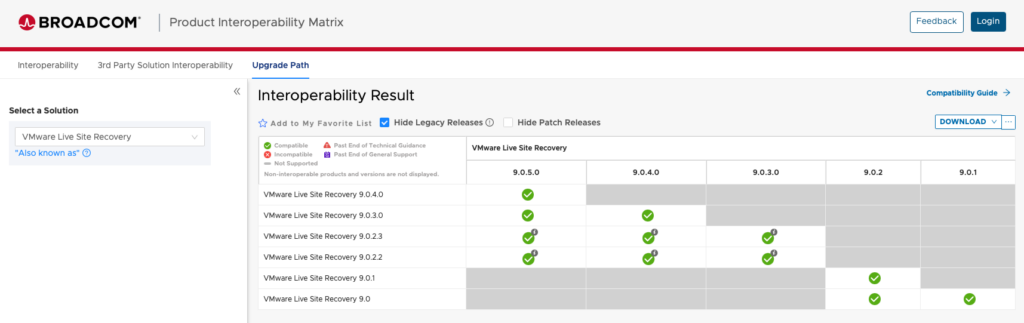
We see upgrade from 9.0.2.2 to 9.0.5.0 is a valid update path.
First we need to deploy a new VMware Live Recovery appliance. You need a new IP and hostname for the new appliance. The upgrade should be started from the protected site.
After deploying the appliance you can run the “Converge Legacy Appliances” task.
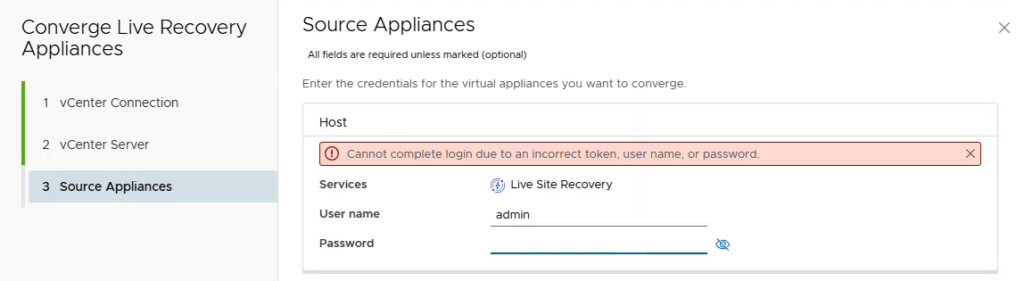
You need to specify your settings. Use the same accounts as configured for the binding today.
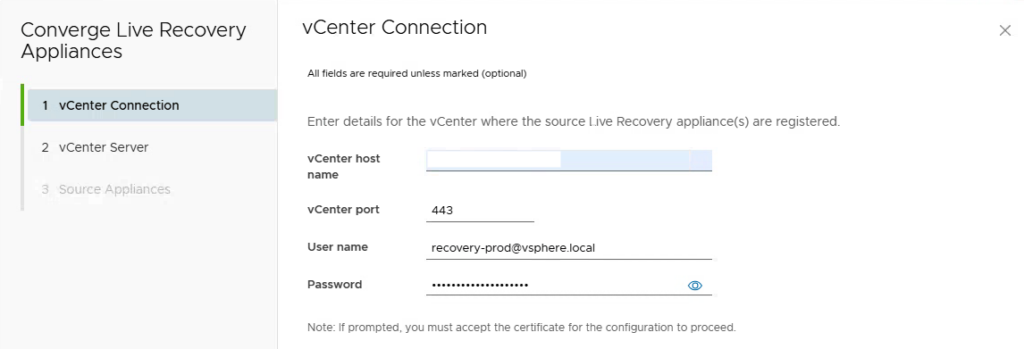
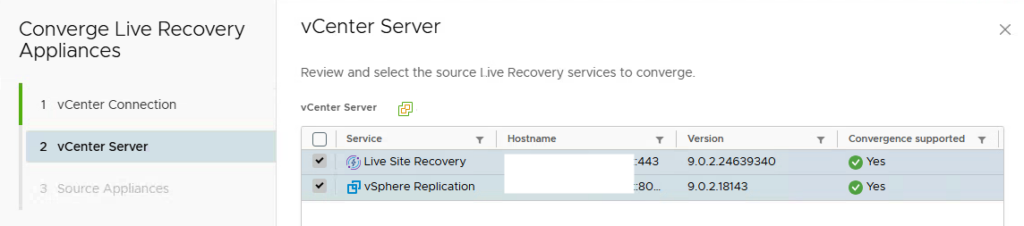
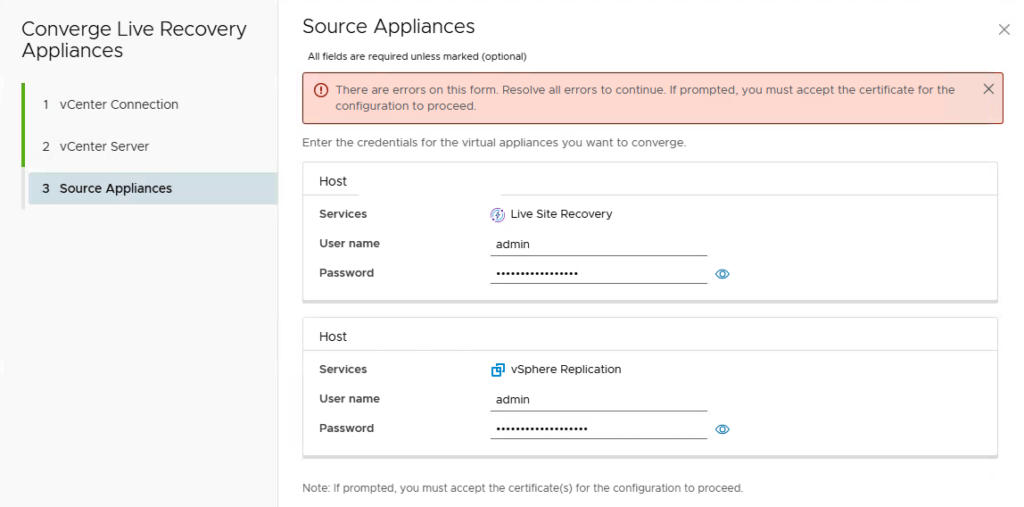
If you face this warning, you need to enable SSH on the appliance you specified (not the new VLR)
To end the upgrade process, you need to run the “Configure Appliance” task on the top.
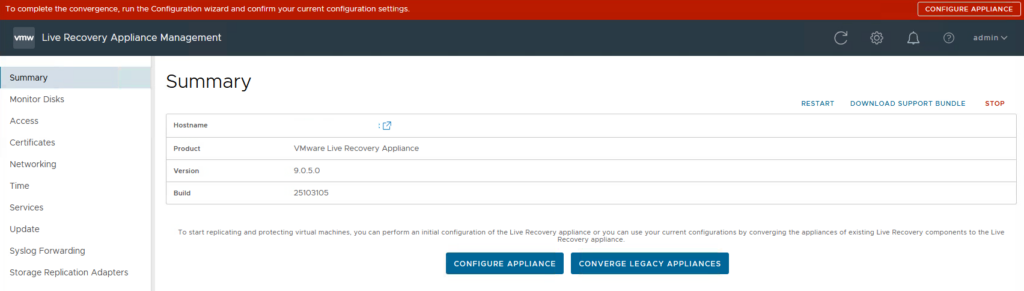
After that you successfully migrated to the new appliance. You need to repeat the same task for the recovery site. Don’t forget to double check your site pair and make sure the new “Host Based Replication Agent” is installed on all ESX hosts. You will see that this is done through the vLCM.






 >
>